Real-time monitoring
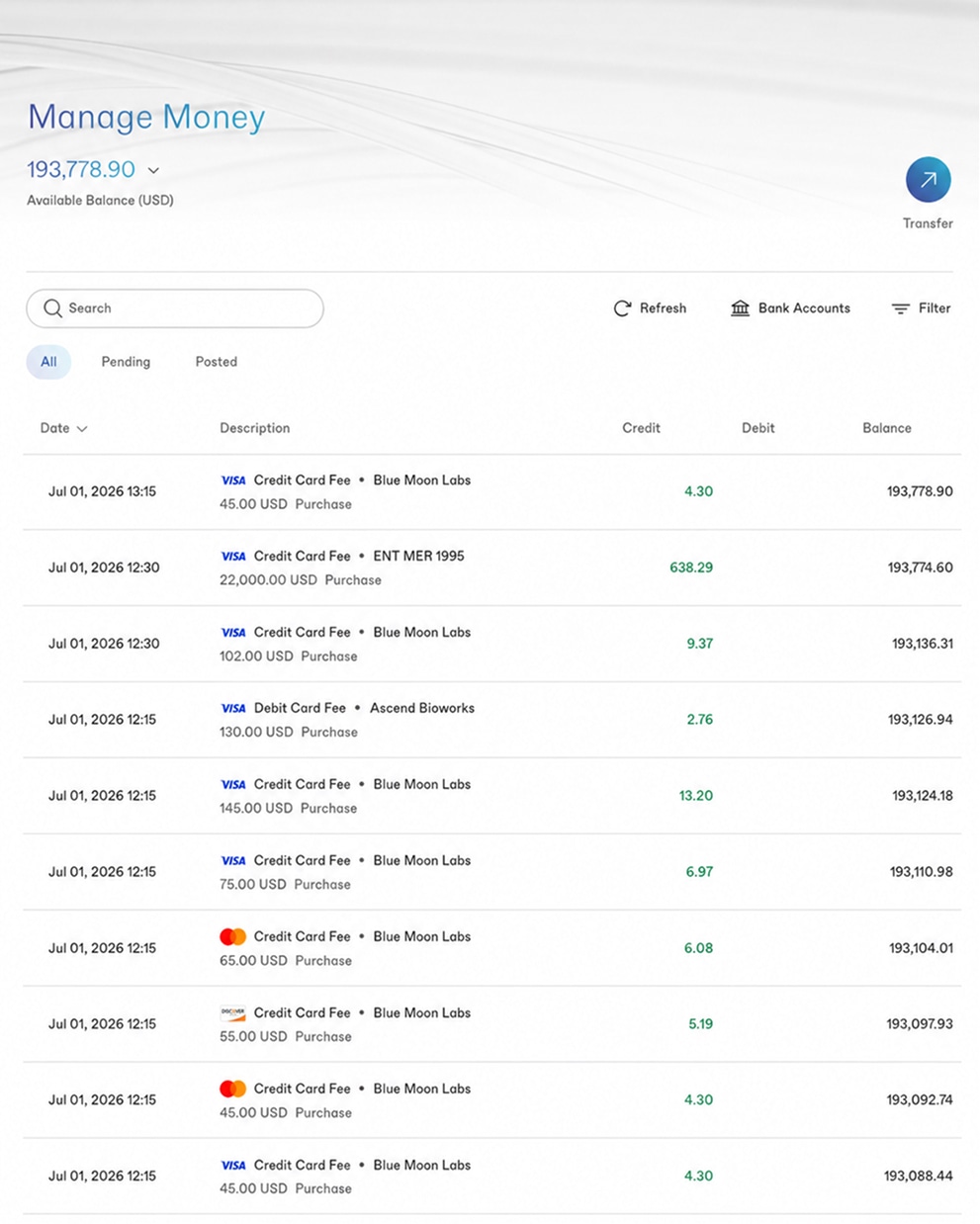
Transactions, volume, balance, and risk status update live, your account's pulse, not a settled-yesterday summary.

Monitor transactions in real time, read analytics across your whole portfolio, manage disputes, and, for platforms and providers, drill from the portfolio view into any submerchant account with Control Mode. A merchant portal built for how high-risk operators actually work, not a read-only receipt of what already happened.
Answer first
A lot of payment dashboards are really just history, a place to confirm, after the fact, what already settled. For a high-risk operator that's not enough. Your dispute ratio, your fraud rate, your volume patterns are the numbers that decide whether the account stays open, and you need to see them moving in real time, not discover them in a month-end report when the line has already been crossed.
The merchant portal is built around that. Transactions, analytics, and disputes update live, so a rising dispute rate or an odd volume spike shows up while there's still time to respond. And for platforms, PayFacs, and providers, the portal isn't a single account, it's a whole portfolio you can drill into, account by account, from one place.
What's in it
Transactions, volume, balance, and risk status update live, your account's pulse, not a settled-yesterday summary.
Transaction and volume trends, approval and decline patterns, fraud and dispute rates, read at a glance across an account or the whole portfolio.
See disputes as they land and manage representment from the same place, tied to the chargeback tooling that defends them.
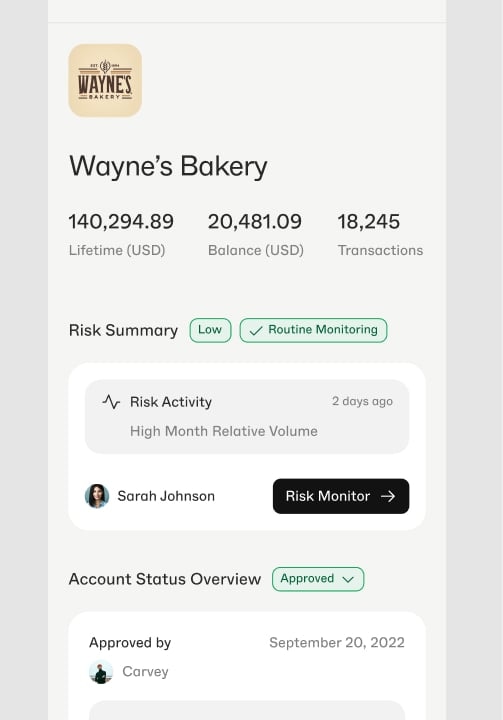
Platforms and providers see every account they board and drill into any one of them, Control Mode moves you between the portfolio and a single merchant.
Permissions by role across the hierarchy, so a team operates a portfolio without everyone holding every key.
Real-time access to transaction, fee, reserve, and dispute data, exportable for month-end matching and accounting.
Control Mode
Control Mode is what separates managing a book of merchants from juggling a dozen logins. From the portfolio view you drop into any individual submerchant account to review, support, or act, with permissions set by role, then step back out. For a platform or provider operating high-risk accounts, that multi-level oversight is the difference between control and guesswork.
Beyond monitoring
Real-time monitoring tells you what's happening now; reconciliation tells you it all adds up. The portal holds the underlying record, every transaction, fee, reserve movement, and dispute, and lets you export it for the month-end work of matching deposits to sales, accounting for fees and reserves, and feeding clean numbers into your accounting stack. We cover that process in depth in the payment reconciliation guide.
Because the data exports into tools like QuickBooks, Xero, and NetSuite through our integrations, the portal isn't a walled garden you have to retype numbers out of. It's the live operational view and the source of truth for your books at once, which, for a high-volume high-risk merchant, is the difference between a controlled operation and a month-end scramble.
FAQ
Yes, for platforms, PayFacs, and providers, the portal carries a provider-and-submerchant hierarchy, so you see your whole portfolio and can drill into any single merchant account beneath you. Control Mode lets you move between the portfolio view and an individual account to support, review, or act on it, with permissions set by role. It's the difference between managing a book of merchants from one place and logging into a dozen disconnected dashboards.
Real-time transaction and volume trends, approval and decline patterns, fraud and dispute rates, and the metrics that tell you how an account or a whole portfolio is performing, surfaced as dashboards you can read at a glance rather than raw logs you have to assemble. The point of the analytics is operational: spot a rising dispute rate or an unusual volume pattern early, while you can still do something about it, instead of finding out at month-end.
Yes. The portal gives you real-time access to your transaction, fee, reserve, and dispute data, and you can export it for reconciliation and accounting, matching deposits to sales, accounting for fees and reserves, and feeding clean data into tools like QuickBooks, Xero, or NetSuite through our integrations. Reconciliation is covered in depth in our payment reconciliation guide; the portal is where the underlying data lives and where exports start.
Yes. Access and permissions are set by role, so a support agent, a finance user, and an owner each see what they need and nothing they shouldn't. For providers managing submerchants, that role-based control extends across the hierarchy, you decide who can view, act on, or administer which accounts. It's the access model that lets a team operate a high-risk portfolio without handing everyone the keys to everything.
Monitoring, analytics, disputes, and submerchant control in one portal, on an account underwritten for your category. The first step is approval.